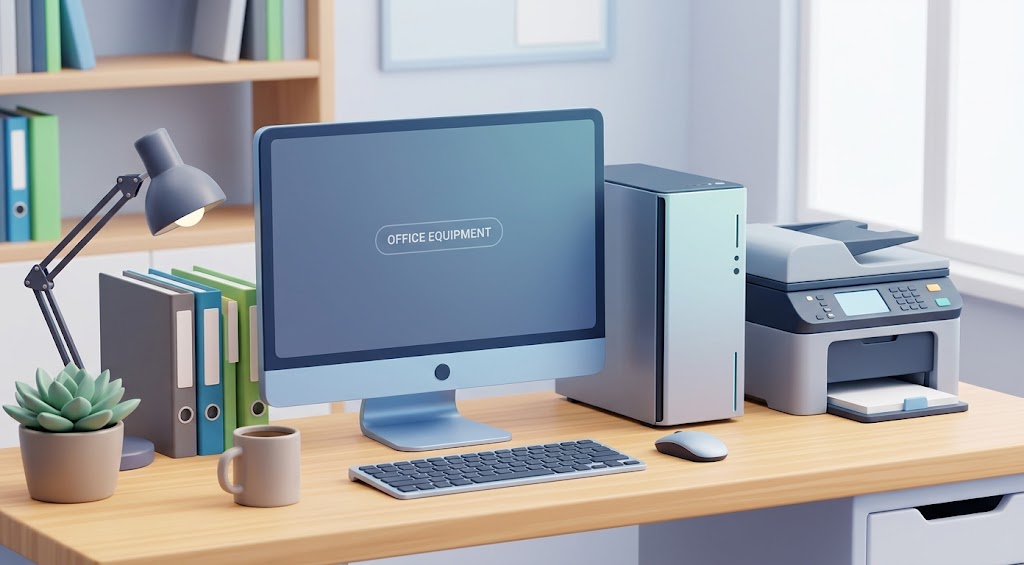
Setting up a functional office — whether at home, in a coworking space, or for a company with multiple employees — is no longer just about buying “a laptop and a printer.” Today the challenge is different: there are too many options, specs change every year, and a bad decision can mean overspending on something that falls short in six months, or cutting costs on the wrong thing and paying for it later.
If you’re about to upgrade your work equipment or building an office from scratch, here’s a practical guide with recommendations that apply whether you’re a freelancer, a small business owner, or the person in charge of purchasing at a larger company. Throughout this guide, we’ll reference real product categories you can explore directly on PCredCom, so you can go from research to purchase without switching platforms.
1. Laptops: think about actual use, not the biggest number
It’s tempting to get swept up in impressive specs, but the right question isn’t “how much RAM does it have?” It’s “what am I actually going to use it for every day?”
- Office work (email, spreadsheets, video calls): a mid-range processor and 16 GB of RAM are more than enough. You don’t need a dedicated graphics card.
- Design, video editing, or software development: here it’s worth investing in a more powerful processor, 32 GB of RAM, and at least 512 GB of SSD storage.
- Constant mobility (sales, remote work, travel): prioritize long battery life and light weight over raw power.
A common mistake is buying equipment “just in case you need it later.” In most cases, it’s more cost-effective to upgrade in a couple of years than to overpay today for capacity you won’t use. PCredCom offers a wide range of laptop configurations sorted by use case, which makes it easier to match the machine to the job instead of guessing.
2. Printers: the real cost isn’t in the purchase price
Many businesses choose a printer based on the upfront price and end up paying much more in consumables. Before deciding, consider:
- Monthly print volume. If you print occasionally, an inkjet printer may be enough. If volume is high and consistent, a laser printer is usually cheaper per page in the long run.
- Cost per page, not just the price of the cartridge. Some budget models have low-yield cartridges that translate into a much higher cost per sheet.
- Connectivity. If several people will share the printer, look for models with built-in wireless or Ethernet to avoid bottlenecks.
- All-in-one units. For small offices, a device that prints, scans, and copies is usually more practical than three separate machines.
The printer section on PCredCom breaks these specs down clearly, so you can compare cost-per-page across models before committing.
3. Projectors: brightness matters more than resolution
For meeting rooms, presentations, or training spaces, there’s a common mistake: focusing only on whether a projector is Full HD or 4K while ignoring brightness (measured in lumens).
- In rooms with good darkness, 2,000–3,000 lumens are usually enough.
- In spaces with natural or ambient light, it’s worth stepping up to 3,500 lumens or more so the image stays sharp.
- If you’ll be moving the projector between offices or rooms, prioritize compact, lightweight models even if they cost a bit more.
PCredCom lists lumens and portability specs upfront for each projector, which saves you the trouble of digging through manufacturer spec sheets.
4. Audio: don’t underestimate video calls
With hybrid work now the norm, audio equipment has stopped being a luxury. A bad sound experience during an important meeting can cost more than the equipment itself in terms of professional perception.
- Noise-canceling headsets are almost essential in open offices or shared spaces.
- Speakerphones for meeting rooms with an omnidirectional microphone significantly improve clarity when multiple people are speaking.
- Presentation speakers should be chosen based on the size of the space, not the lowest price available.
You’ll find all three categories under PCredCom’s audio equipment section, organized by room size and use case.
5. Office supplies: the part almost no one plans ahead for
Toners, paper, cables, voltage regulators, ergonomic furniture — these are recurring expenses that many businesses underestimate when planning their annual budget. A practical recommendation: calculate your average monthly consumption of your most-used supplies and set up a scheduled order instead of buying reactively whenever something runs out. This not only prevents work interruptions but often opens the door to better bulk pricing.
One final recommendation before you buy
Before settling on any piece of equipment, it’s worth comparing specifications, reading reviews from other users, and, above all, considering the availability of local technical support and warranty coverage. A great price doesn’t mean much if there’s no one to turn to when something breaks.
If you’re looking for a single place to compare laptops, printers, projectors, audio equipment, and office supplies, it’s worth checking out PCredCom‘s catalog, where you can find options for different budgets and needs — from single-user setups to full office solutions.